One window for the whole job
Check an item, choose the file types and a folder, then watch several files download at once with their own progress bars. Interrupted downloads pick up where they stopped, and files you already have are skipped.
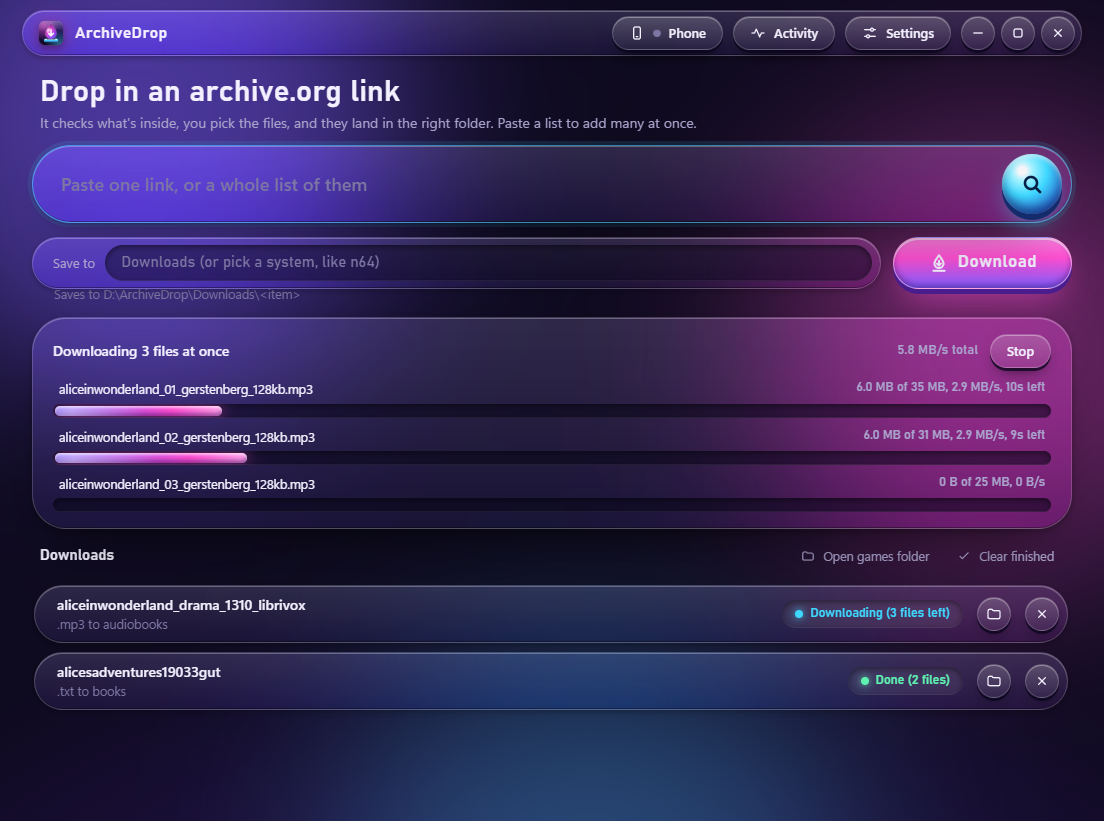
- 1 to 6 files at the same time
- Paste a whole list of links at once
- Finds an EmuDeck roms folder by itself
- Skips thumbnails and archive metadata
- Background check every 15 minutes
- Settings and queue kept across updates
Send links from your phone
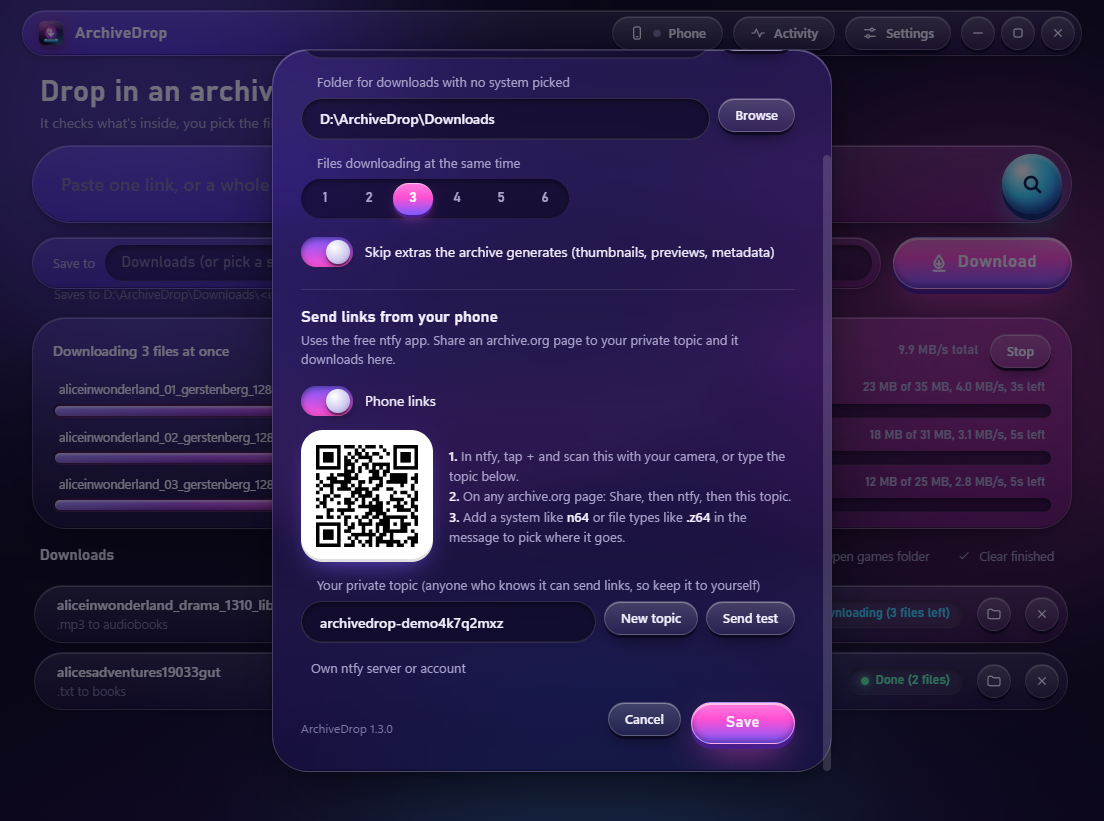
Share any archive.org page to your private ntfy topic and it starts downloading on your PC. ArchiveDrop tells you when it's added and when it's done.
Scan once, share forever
Turn on phone links and scan the code with the free ntfy app. After that it's Share, then ntfy, from any browser.
Pick the folder from the message
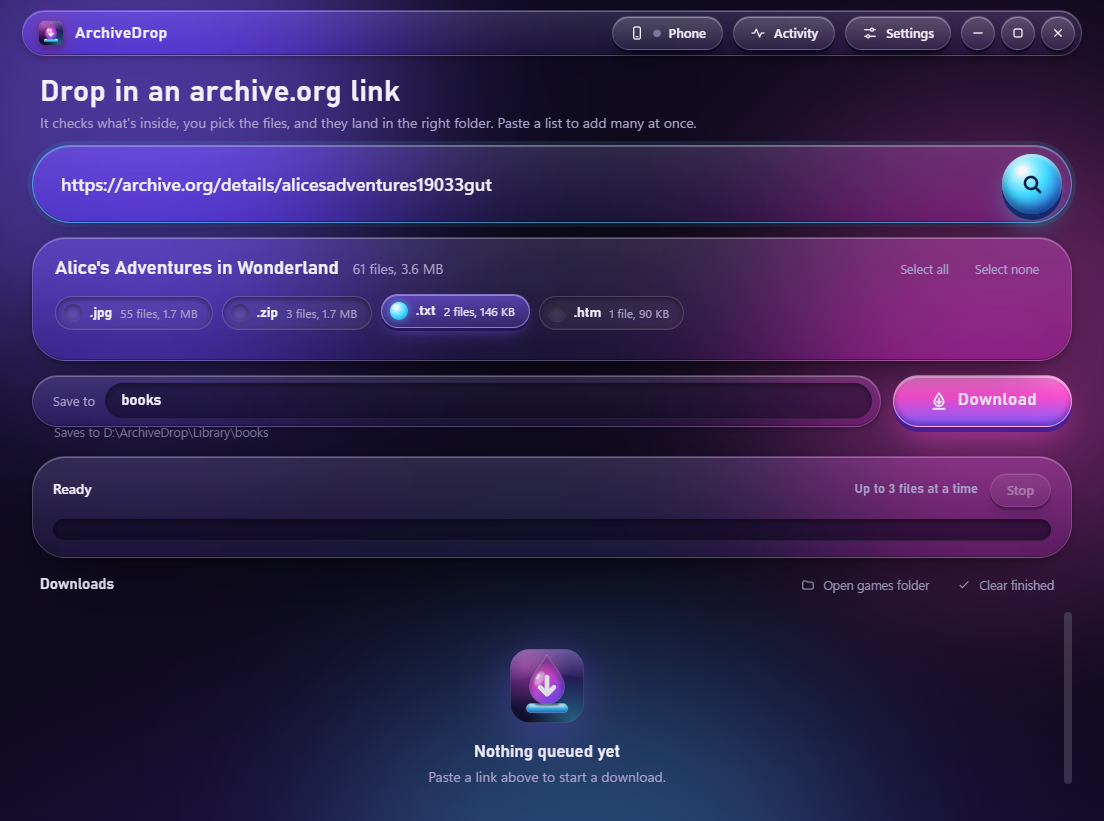
Add a folder name like books or file types like .pdf in the message, or send them right after the link. If the download already started, its files move there when it finishes.
Install in a minute
- Download ArchiveDrop-Setup.exe from the button above or the releases page.
- Run it. If Windows shows "Windows protected your PC", choose More info, then Run anyway. The installer isn't code-signed yet.
- Paste a link into the bar and press Download. To update later, run the newer installer over the top.